Build and Crush Blueprints Machine Guide
Publish creations, browse trending designs, and load builds straight into your garage.
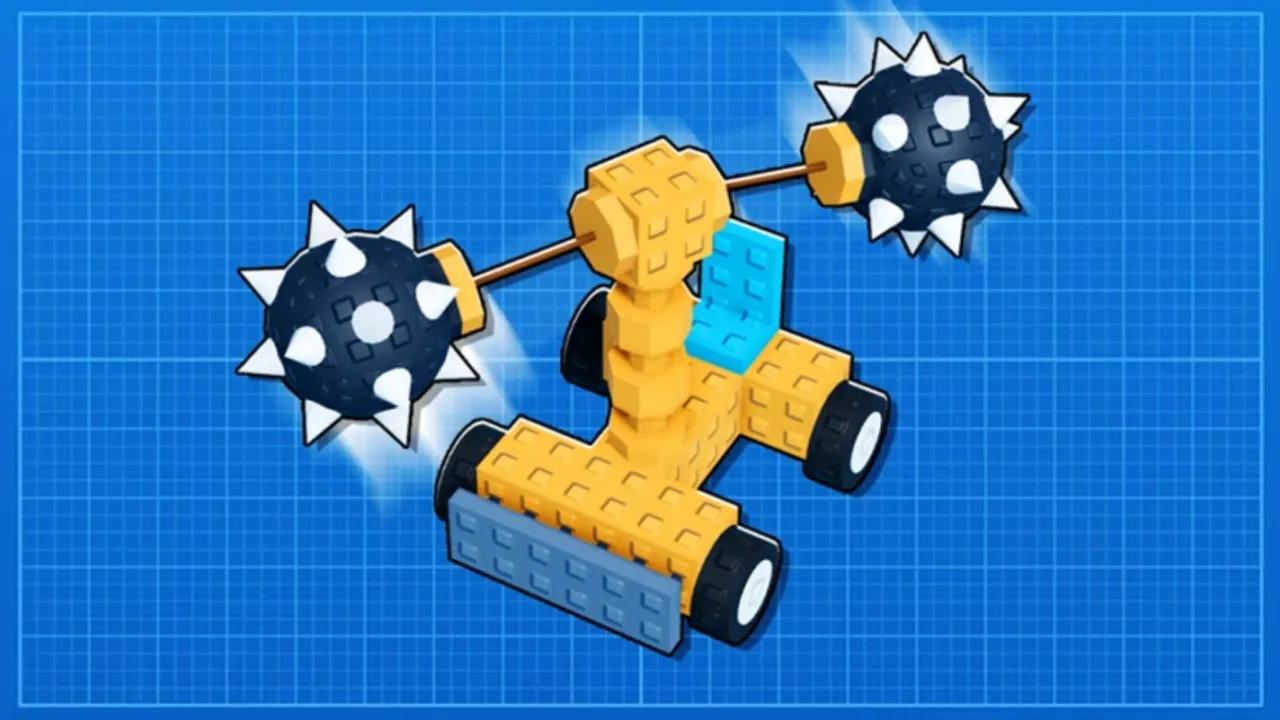
The Blueprints machine is Build and Crush’s community marketplace for physics vehicles and weapon platforms. Unsquared added it so players can publish finished garage creations, browse trending designs, like favorites, purchase listings with in-game currency, and load builds directly into their personal garage — skipping hours of trial-and-error assembly.
Blueprints do not replace progression. Imported designs still need the parts and Garage Research unlocks they were built with; loading a T4 sweeper without owning T4 components may strip pieces or fail validation. Treat blueprints as templates and shortcuts, not a bypass of Garage Research or Crate Plants.
If you are new, finish Getting Started and skim How to Play before spending currency here.
Where to find the Blueprints machine
The terminal sits in the main social hub — look for kiosk-style props near the garage district or map spawn. Walk up and press the interact prompt (Controls). The UI opens several tabs:
- Browse / Trending — popular designs sorted by likes, sales, or recency.
- Search — filter by weapon type, tier tags, or creator name when supported.
- My Blueprints — listings you published.
- Load to Garage — applies a purchased or free blueprint to your save slot.
UI labels shift during early access; functionality remains consistent across patches since the feature shipped post-launch in 2025–2026 updates.
Publishing your own blueprint
Publishing shares your saved garage build with the public catalog.
Pre-publish checklist
- Save the current garage layout from the build menu.
- Test on the map — confirm drive, weapons, and stability (Destroy the Map).
- Rename clearly — “T2 Auto Sweeper Farm” beats “car_final_v3”.
- Set price — free listings gain downloads fast; paid listings need meta strength (Best Builds trends).
- Screenshot — good thumbnails attract browse traffic.
Broken builds hurt your creator reputation — joints that explode on spawn get downvoted and refunded requests in active communities.
Pricing strategy
- Starter templates — free or cheap to build follower count.
- Niche meta — missile trucks, drill stacks — moderate price once tested on eight-player servers.
- Cosmetic flex — optional premium if the design is art-first, not progression-first.
Remember Roblox and Unsquared may take transaction fees or cap prices — read in-game tooltips before listing.
Browsing and purchasing
When browsing:
- Read part requirements and research tier hints in the description.
- Sort by Trending for general-purpose crushers; use Search for specific roles (sweeper, driller, ram).
- Like builds to find them later even if you cannot afford them yet.
Purchasing deducts soft currency (or Robux for premium listings if enabled). After purchase, the blueprint appears in Owned or My Downloads depending on UI version.
Compare purchased designs against our Tier List before re-spending on duplicates.
Loading a blueprint into your garage
Load replaces or merges into your active garage slot — exact behavior matters:
- Replace mode — overwrites unsaved work; back up your old build first.
- Merge mode (if offered) — adds sub-assemblies you can splice into custom chassis.
After loading:
- Open build mode and verify missing parts (highlighted red in many UIs).
- Swap unavailable pieces with lower-tier alternatives from Crate Plants harvests.
- Re-save under a new name so you can revert.
- Test drive before competitive map crushing.
If half the vehicle is missing, you lack research — return to Garage Research instead of blaming the creator.
Safety, scams, and etiquette
Roblox experiences vary in moderation quality. Tips:
- Buy from high-like listings with clear screenshots.
- Avoid off-platform “pay me first” deals — use the in-game machine only.
- Report stolen copies if a clone of your publish appears unchanged.
Creators: watermark screenshots subtly; document unique joint tricks in descriptions without giving away every secret if you sell premium designs.
Blueprints vs building from scratch
| Approach | Pros | Cons |
|---|---|---|
| Blueprints | Fast meta access, learn joint tricks | Costs currency; needs unlocks |
| Scratch build | Full learning, no listing fees | Slow early progression |
| Hybrid | Import chassis, swap weapons | Best long-term skill growth |
Most veterans hybridize — import a stable chassis, customize weapons for current map HP values after balance patches.
Early access expectations
Blueprints arrived after the September 2025 launch wave. Expect future features: curated creator pages, seasonal contests, and stricter part validation when Unsquared stabilizes physics netcode. Watch Updates after each patch for broken-load fixes.
Redeem Codes before buying blueprints during double-currency events to stretch your budget.
Related guides
- Best Builds — meta templates worth publishing
- Garage Research — required unlocks
- Controls — edit loaded builds
- Destroy the Map — test purchases
- Getting Started — when to first buy a blueprint
Frequently Asked Questions
Quick answers to the most common questions.
What is the Blueprints machine in Build and Crush?
It is an in-game terminal where players publish garage builds, browse community designs, like listings, purchase them with currency, and load purchased blueprints directly into their personal garage.
Can I use a blueprint without researching the parts?
Usually no — missing research or inventory parts strip from the loaded design or block the load entirely. Unlock tiers in Garage Research and farm crate plants before buying high-tier listings.
How do I publish my build?
Save your garage creation, test it on the map, open the Blueprints machine, choose Publish, set a price and thumbnail, then confirm. Broken builds receive poor ratings and fewer sales.
Do blueprint purchases work across servers?
Owned blueprints tie to your Roblox account save data. Rejoin any server, open the machine, and load from Owned — no need to repurchase per instance.
Are free blueprints worth downloading?
Many free starter chassis teach solid joint layout. Grab trending free designs early, then upgrade weapons as you unlock tiers — faster than designing from scratch on day one.