Build and Crush Getting Started Guide
Your first 30 minutes in Unsquared's physics sandbox — build, research, farm, and crush.
Build and Crush is a Roblox simulation sandbox from Unsquared, released in September 2025 and still in early access. Up to eight players share a server where you assemble vehicles from physics-based parts, grow crate plants for rare components, level Garage Research to unlock new blocks, and then destroy the map together. If you have played vehicle builders or destruction sandboxes before, the hook here is simple: progression feeds creativity, and creativity feeds chaos.
This page is the day-one checklist. For deeper mechanics, branch into How to Play, Controls, and Garage Research once you finish the basics below.
What Build and Crush is on Roblox
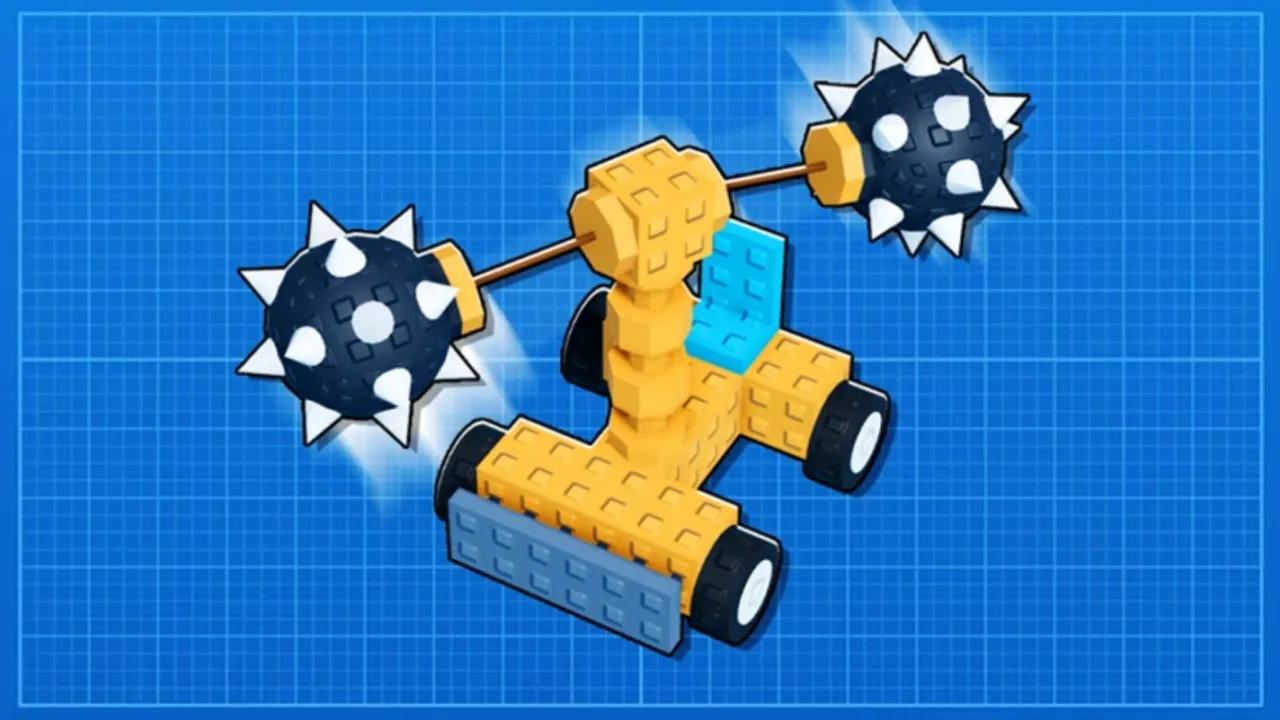
Unsquared describes the game as “build anything, crush everything.” That is not marketing fluff — the loop is intentionally split between quiet garage work and loud map demolition. You spend time in your garage snapping together wheels, drills, missiles, and structural pieces with real physics. When your build is ready, you drive or deploy it on the shared map and tear down buildings, terrain props, and destructible set pieces.
Because the title is early access, expect balance tweaks, new parts, and UI changes. Report bugs in-game or on the official Roblox page so the team can patch quickly. Bookmark our Codes page for free rewards that speed up your first research tiers, and check the Tier List when you wonder which parts are worth keeping.
Core loop in one paragraph
Build a machine in the garage using parts you own. Research new components through Garage Research so your designs can evolve beyond starter blocks. Grow crate plants to harvest crates that drop rarer pieces and crafting materials. Crush the map with your creation (or a blueprint you loaded) to earn currency and progression. Repeat — each cycle should leave you with a slightly better part pool and a clearer idea of what to build next.
First 30 minutes checklist
Use this ordered list so you do not waste the opening session chasing the wrong upgrades.
Minutes 0–5: Learn movement and the garage
Join a server, read any on-screen tutorial prompts, and open the garage. Before you snap parts together randomly, skim Controls so you know how build mode, camera rotation, and delete/undo work on your platform (PC and mobile layouts differ). Place a simple chassis with four wheels and a seat — nothing fancy. The goal is to confirm you can enter drive mode and move around without the whole thing collapsing.
Minutes 5–15: Run Garage Research once
Walk to the Garage Research station (usually near your build zone). Spend your starter currency on the cheapest useful unlocks first — typically wheels, a basic weapon, and one harvesting tool. Our Garage Research guide explains which branches pay off earliest; for now, prioritize anything that helps you destroy map objects faster, because early income often comes from demolition rewards.
Minutes 15–22: Plant your first crate plants
Crate plants are the game’s passive farm. Place a plant box, wait for growth timers, and harvest crates that contain parts you cannot buy outright. If you skip this step, you will hit a wall when research costs ramp up. Read Crate Plants later for luck and size optimization; on day one, just keep one or two boxes growing while you play.
Minutes 22–28: Destroy something on the map
Take your starter build (or a simple public blueprint — see Blueprints) to the destructible map area. Focus on large, obvious targets first; many give chunk rewards for first-time destruction. Multiplayer servers mean other players may beat you to a landmark — that is normal. Follow Destroy the Map for weapon types and team etiquette.
Minutes 28–30: Save, claim codes, plan your next build
Save your garage layout, redeem any active Codes, and note which part tier you are missing. If your vehicle felt weak, browse Best Builds for early-game templates like sweepers or drill cars instead of reinventing the meta from scratch.
Early access expectations
Early access means features like the Blueprints machine and new research tiers may arrive mid-season. Server size caps at eight players, so crowded maps can feel competitive during peak hours. Physics parts also mean your own builds can self-destruct if joints are weak — that is part of the learning curve, not a bug.
Where to go next
| Goal | Read next |
|---|---|
| Full gameplay overview | How to Play |
| Keybindings and mobile UI | Controls |
| Unlock order for parts | Garage Research |
| Free boosts | Codes |
| Strong parts ranking | Tier List |
Stick to the checklist once, then play how you like — some players rush research, others farm crate plants for a day. Both paths work if you eventually bring a competent crush build to the map.
Frequently Asked Questions
Quick answers to the most common questions.
Is Build and Crush free on Roblox?
Yes. The base game is free to play on Roblox. Optional Robux purchases may exist for cosmetics or boosts, but you can progress through building, research, and map destruction without paying.
Who made Build and Crush?
Build and Crush is developed by Unsquared on Roblox. The experience launched in September 2025 and remains in early access with ongoing updates.
How many players are in a server?
Servers support up to eight players. You can build in your garage solo, but map destruction is shared — coordinate or compete with others on the same instance.
What should I do first after the tutorial?
Unlock a few Garage Research tiers, plant at least one crate plant box, build a simple wheeled vehicle, and destroy map objects for early rewards. Redeem codes if any are active.
Does progress carry between sessions?
Roblox saves your account data — garage layouts, research level, and inventory persist when you rejoin. Re-save complex builds after major updates in case part IDs change during early access.